> ## Documentation Index
> Fetch the complete documentation index at: https://docs.perplexity.ai/llms.txt
> Use this file to discover all available pages before exploring further.
# Perplexity Discord Bot
> A simple discord.py bot that integrates Perplexity's Sonar API to bring AI answers to your Discord server.
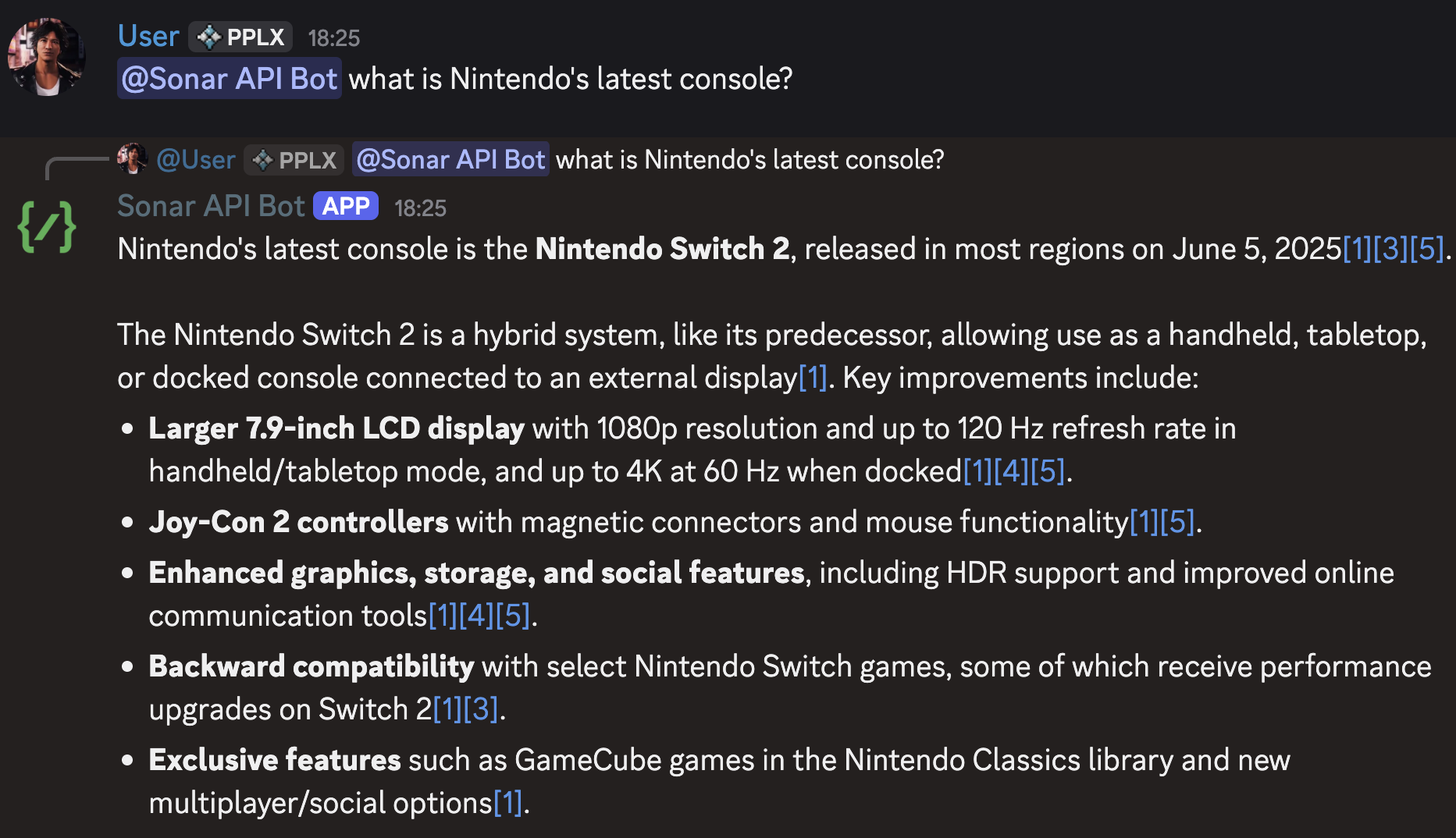
A simple `discord.py` bot that integrates [Perplexity's Sonar API](https://docs.perplexity.ai/) into your Discord server. Ask questions and get AI-powered answers with web access through slash commands or by mentioning the bot.
 ## ✨ Features
* **🌐 Web-Connected AI**: Uses Perplexity's Sonar API for up-to-date information
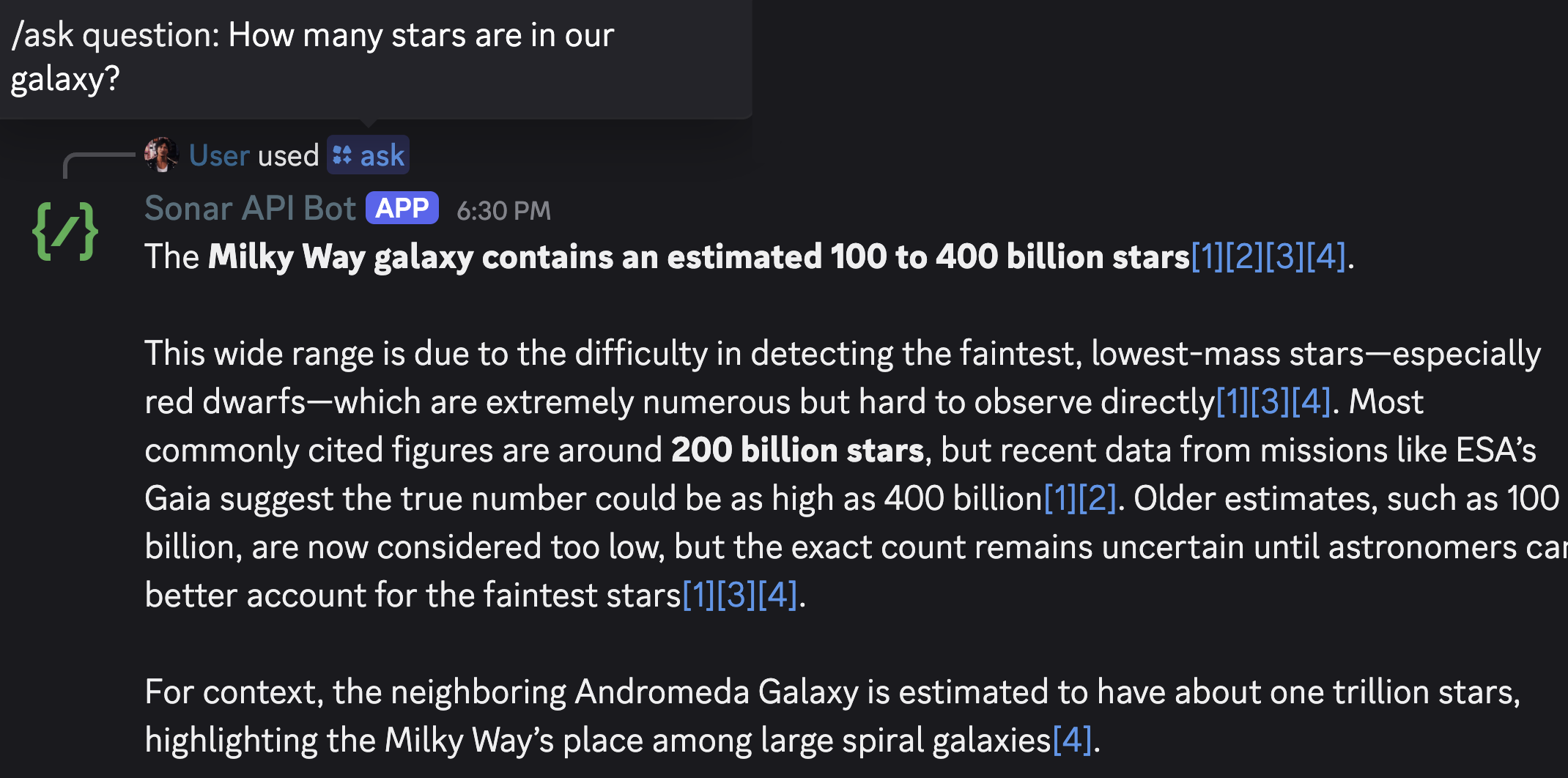
* **⚡ Slash Command**: Simple `/ask` command for questions
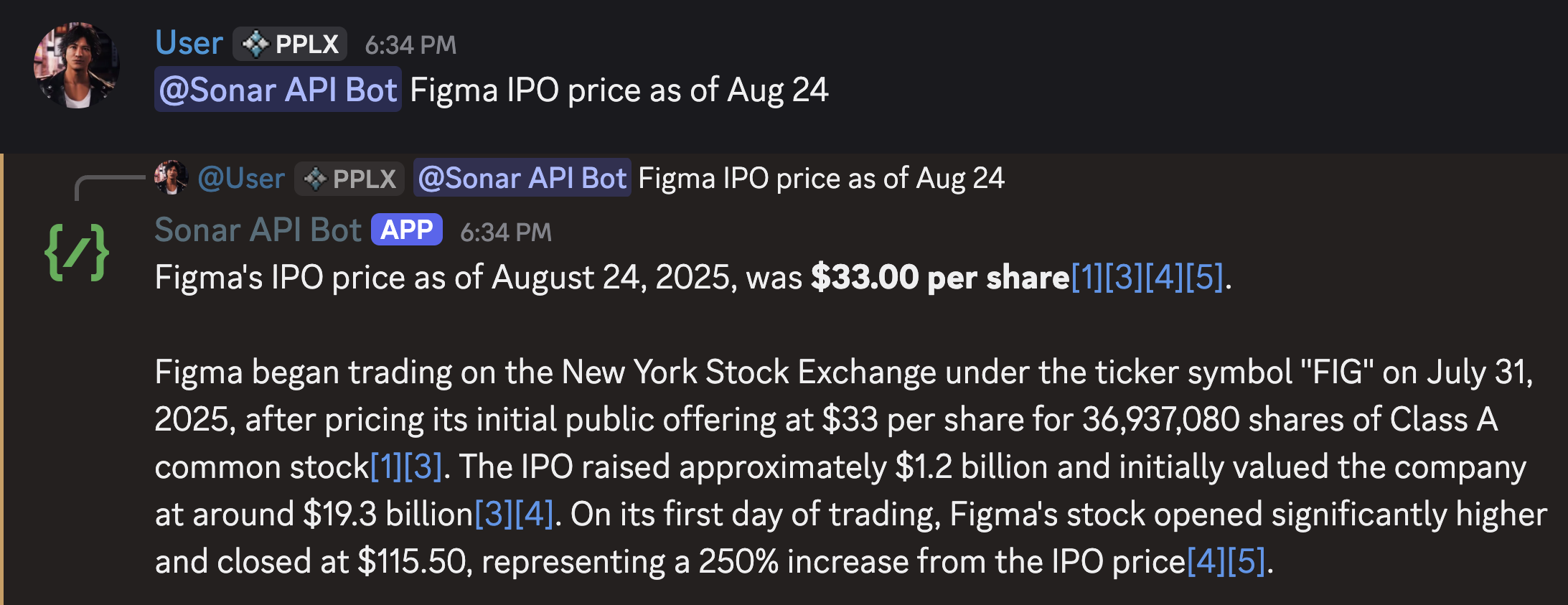
* **💬 Mention Support**: Ask questions by mentioning the bot
* **🔗 Source Citations**: Automatically formats and links to sources
* **🔒 Secure Setup**: Environment-based configuration for API keys
## 🛠️ Prerequisites
**Python 3.8+** installed on your system
```bash theme={null}
python --version # Should be 3.8 or higher
```
**Active Perplexity API Key** from the [Perplexity API Platform console](https://console.perplexity.ai)
You'll need a paid Perplexity account to access the API. See the [pricing page](https://www.perplexity.ai/pricing) for current rates.
**Discord Bot Token** from the [Discord Developer Portal](https://discord.com/developers/applications)
## 🚀 Quick Start
### 1. Repository Setup
Clone the repository and navigate to the bot directory:
```bash theme={null}
git clone https://github.com/ppl-ai/api-cookbook.git
cd api-cookbook/docs/examples/discord-py-bot/
```
### 2. Install Dependencies
```bash theme={null}
# Create a virtual environment (recommended)
python -m venv venv
source venv/bin/activate # On Windows: venv\Scripts\activate
# Install required packages
pip install -r requirements.txt
```
### 3. Configure API Keys
1. Visit the [Perplexity API Platform console](https://console.perplexity.ai)
2. Generate a new API key
3. Copy the key to the .env file
Keep your API key secure! Never commit it to version control or share it publicly.
1. Go to the [Discord Developer Portal](https://discord.com/developers/applications)
2. Click **"New Application"** and give it a descriptive name
3. Navigate to the **"Bot"** section
4. Click **"Reset Token"** (or "Add Bot" if first time)
5. Copy the bot token
Copy the example environment file and add your keys:
```bash theme={null}
cp env.example .env
```
Edit `.env` with your credentials:
```bash title=".env" theme={null}
DISCORD_TOKEN="your_discord_bot_token_here"
PERPLEXITY_API_KEY="your_perplexity_api_key_here"
```
## 🎯 Usage Guide
### Bot Invitation & Setup
In the Discord Developer Portal:
1. Go to **OAuth2** → **URL Generator**
2. Select scopes: `bot` and `applications.commands`
3. Select bot permissions: `Send Messages`, `Use Slash Commands`
4. Copy the generated URL
1. Paste the URL in your browser
2. Select the Discord server to add the bot to
3. Confirm the permissions
```bash theme={null}
python bot.py
```
You should see output confirming the bot is online and commands are synced.
### How to Use
**Slash Command:**
```
/ask [your question here]
```
## ✨ Features
* **🌐 Web-Connected AI**: Uses Perplexity's Sonar API for up-to-date information
* **⚡ Slash Command**: Simple `/ask` command for questions
* **💬 Mention Support**: Ask questions by mentioning the bot
* **🔗 Source Citations**: Automatically formats and links to sources
* **🔒 Secure Setup**: Environment-based configuration for API keys
## 🛠️ Prerequisites
**Python 3.8+** installed on your system
```bash theme={null}
python --version # Should be 3.8 or higher
```
**Active Perplexity API Key** from the [Perplexity API Platform console](https://console.perplexity.ai)
You'll need a paid Perplexity account to access the API. See the [pricing page](https://www.perplexity.ai/pricing) for current rates.
**Discord Bot Token** from the [Discord Developer Portal](https://discord.com/developers/applications)
## 🚀 Quick Start
### 1. Repository Setup
Clone the repository and navigate to the bot directory:
```bash theme={null}
git clone https://github.com/ppl-ai/api-cookbook.git
cd api-cookbook/docs/examples/discord-py-bot/
```
### 2. Install Dependencies
```bash theme={null}
# Create a virtual environment (recommended)
python -m venv venv
source venv/bin/activate # On Windows: venv\Scripts\activate
# Install required packages
pip install -r requirements.txt
```
### 3. Configure API Keys
1. Visit the [Perplexity API Platform console](https://console.perplexity.ai)
2. Generate a new API key
3. Copy the key to the .env file
Keep your API key secure! Never commit it to version control or share it publicly.
1. Go to the [Discord Developer Portal](https://discord.com/developers/applications)
2. Click **"New Application"** and give it a descriptive name
3. Navigate to the **"Bot"** section
4. Click **"Reset Token"** (or "Add Bot" if first time)
5. Copy the bot token
Copy the example environment file and add your keys:
```bash theme={null}
cp env.example .env
```
Edit `.env` with your credentials:
```bash title=".env" theme={null}
DISCORD_TOKEN="your_discord_bot_token_here"
PERPLEXITY_API_KEY="your_perplexity_api_key_here"
```
## 🎯 Usage Guide
### Bot Invitation & Setup
In the Discord Developer Portal:
1. Go to **OAuth2** → **URL Generator**
2. Select scopes: `bot` and `applications.commands`
3. Select bot permissions: `Send Messages`, `Use Slash Commands`
4. Copy the generated URL
1. Paste the URL in your browser
2. Select the Discord server to add the bot to
3. Confirm the permissions
```bash theme={null}
python bot.py
```
You should see output confirming the bot is online and commands are synced.
### How to Use
**Slash Command:**
```
/ask [your question here]
```
 **Mention the Bot:**
```
@YourBot [your question here]
```
**Mention the Bot:**
```
@YourBot [your question here]
```
 ## 📊 Response Format
The bot provides clean, readable responses with:
* **AI Answer**: Direct response from Perplexity's Sonar API
* **Source Citations**: Clickable links to sources (when available)
* **Automatic Truncation**: Responses are trimmed to fit Discord's limits
## 🔧 Technical Details
This bot uses:
* **Model**: Perplexity's `sonar-pro` model
* **Response Limit**: 2000 tokens from API, truncated to fit Discord
* **Temperature**: 0.2 for consistent, factual responses
* **No Permissions**: Anyone in the server can use the bot
## 📊 Response Format
The bot provides clean, readable responses with:
* **AI Answer**: Direct response from Perplexity's Sonar API
* **Source Citations**: Clickable links to sources (when available)
* **Automatic Truncation**: Responses are trimmed to fit Discord's limits
## 🔧 Technical Details
This bot uses:
* **Model**: Perplexity's `sonar-pro` model
* **Response Limit**: 2000 tokens from API, truncated to fit Discord
* **Temperature**: 0.2 for consistent, factual responses
* **No Permissions**: Anyone in the server can use the bot