> ## Documentation Index
> Fetch the complete documentation index at: https://docs.perplexity.ai/llms.txt
> Use this file to discover all available pages before exploring further.
# Perplexity Client | Desktop AI Chat Interface with API Controls
> An Electron-based desktop client for Perplexity API with advanced features like model selection, custom system prompts, and API debugging mode
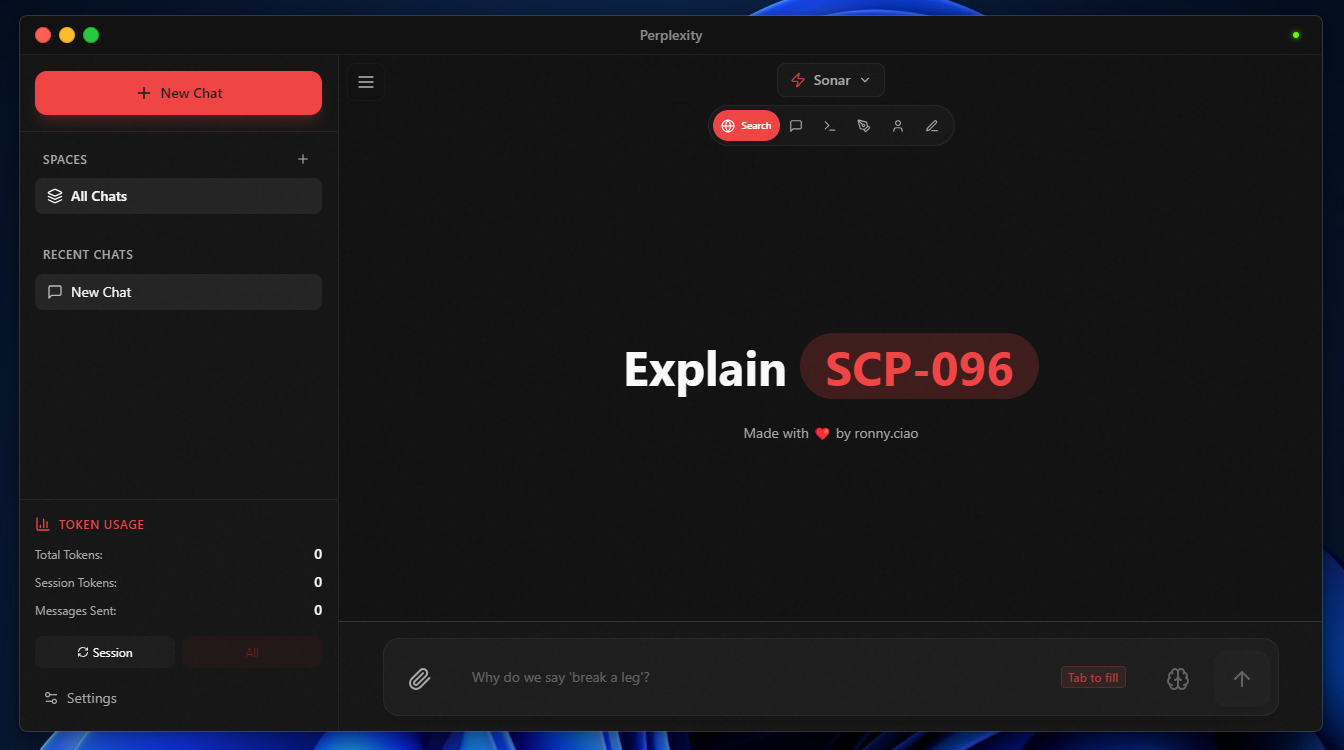
**Perplexity Client** is an Electron-based desktop application that provides a polished interface for interacting with Perplexity's Sonar API. It exposes advanced API parameters like max tokens, making it ideal for developers who want fine-grained control over their AI interactions while enjoying a beautiful, macOS-inspired UI.
 ## Features
* **Multiple Sonar Models** with support for Sonar, Sonar Pro, and Sonar Reasoning Pro
* **Custom Spaces** with save/load functionality for different use cases
* **API Parameter Controls** including max tokens adjustments
* **API Debugging Mode** showing full request/response payloads for troubleshooting
* **Token Usage Tracking** to monitor API consumption and costs
* **Focus Modes** for specialized tasks like coding, writing, and research
## Prerequisites
* Node.js v16 or higher
* npm or yarn
* Perplexity API key
## Installation
```bash theme={null}
# Clone the repository
git clone https://github.com/straight-heart/Perplexity-client-.git
cd Perplexity-client-
# Install dependencies
npm install
npm run dev
```
## Build
Build the application for your platform:
```bash theme={null}
npm run build:win # Windows
npm run build:mac # macOS
npm run build:linux # Linux
```
## Configuration
API keys are managed directly within the application:
1. Launch the app and open Settings (gear icon)
2. In the **API Keys** section, click **Add Key**
3. Enter your Perplexity API key
4. The key is stored securely and persists across sessions
For custom system prompts, use the **Spaces** feature to save and switch between different instruction sets.
## Usage
1. **Launch**: Run `npm run dev` or use the built application
2. **Add API Key**: Open Settings and add your Perplexity API key
3. **Select Model**: Use the dropdown to choose between Sonar variants
4. **Create Spaces**: Set up custom system prompts for different tasks
5. **Chat**: Start conversing with real-time streaming responses
6. **Debug**: Enable API debugging to see full request/response details
7. **Track Usage**: Monitor token consumption in the Settings panel
## Screenshots
| Feature | Preview |
| ---------------------------- | --------------------------------------------------------------------------------------------------------------------------------------------------------------------------------------------------------------------------------------------------------------------------------------------------------------------------------------------------------------------------------------------------------------------------------------------------------------------------------------------------------------------------------------------------------------------------------------------------------------------------------------------------------------------------------------------------------------------------------------------------------------------------------------------------------------------------------------------------------------------------------------------------------------------------------------------------------------------------------------------------------------------------------------------------------------------------------------------------------------------------------------------------------------------------------------------------------------------------------------------------------------------------------------------------------------------------------------------------------------------------------------------------------------------------------------------------------------------------------------------------------------------------------------------------------------------------------------------------------------------------------------------- |
| Spaces (Custom Instructions) |
## Features
* **Multiple Sonar Models** with support for Sonar, Sonar Pro, and Sonar Reasoning Pro
* **Custom Spaces** with save/load functionality for different use cases
* **API Parameter Controls** including max tokens adjustments
* **API Debugging Mode** showing full request/response payloads for troubleshooting
* **Token Usage Tracking** to monitor API consumption and costs
* **Focus Modes** for specialized tasks like coding, writing, and research
## Prerequisites
* Node.js v16 or higher
* npm or yarn
* Perplexity API key
## Installation
```bash theme={null}
# Clone the repository
git clone https://github.com/straight-heart/Perplexity-client-.git
cd Perplexity-client-
# Install dependencies
npm install
npm run dev
```
## Build
Build the application for your platform:
```bash theme={null}
npm run build:win # Windows
npm run build:mac # macOS
npm run build:linux # Linux
```
## Configuration
API keys are managed directly within the application:
1. Launch the app and open Settings (gear icon)
2. In the **API Keys** section, click **Add Key**
3. Enter your Perplexity API key
4. The key is stored securely and persists across sessions
For custom system prompts, use the **Spaces** feature to save and switch between different instruction sets.
## Usage
1. **Launch**: Run `npm run dev` or use the built application
2. **Add API Key**: Open Settings and add your Perplexity API key
3. **Select Model**: Use the dropdown to choose between Sonar variants
4. **Create Spaces**: Set up custom system prompts for different tasks
5. **Chat**: Start conversing with real-time streaming responses
6. **Debug**: Enable API debugging to see full request/response details
7. **Track Usage**: Monitor token consumption in the Settings panel
## Screenshots
| Feature | Preview |
| ---------------------------- | --------------------------------------------------------------------------------------------------------------------------------------------------------------------------------------------------------------------------------------------------------------------------------------------------------------------------------------------------------------------------------------------------------------------------------------------------------------------------------------------------------------------------------------------------------------------------------------------------------------------------------------------------------------------------------------------------------------------------------------------------------------------------------------------------------------------------------------------------------------------------------------------------------------------------------------------------------------------------------------------------------------------------------------------------------------------------------------------------------------------------------------------------------------------------------------------------------------------------------------------------------------------------------------------------------------------------------------------------------------------------------------------------------------------------------------------------------------------------------------------------------------------------------------------------------------------------------------------------------------------------------------------- |
| Spaces (Custom Instructions) | 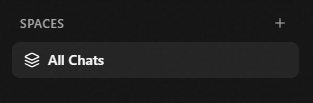 |
| Model & Parameter Controls |
|
| Model & Parameter Controls | 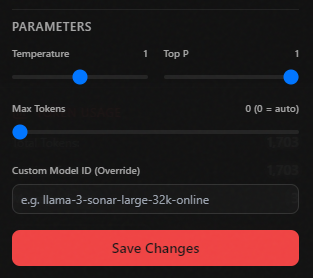 |
| API Debugging Mode |
|
| API Debugging Mode | 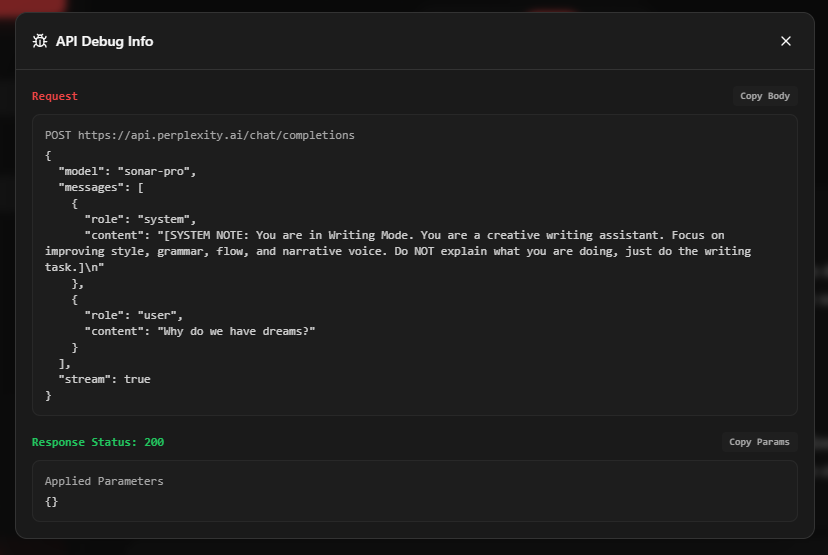 |
| Theme Selection |
|
| Theme Selection | 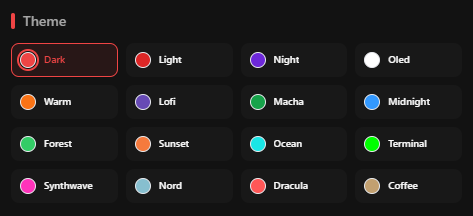 |
## Limitations
* Desktop only (Windows, macOS, Linux) — no mobile or web version
* Requires internet connection for API calls
* API key required for functionality
## Links
* [GitHub Repository](https://github.com/straight-heart/Perplexity-client-)
|
## Limitations
* Desktop only (Windows, macOS, Linux) — no mobile or web version
* Requires internet connection for API calls
* API key required for functionality
## Links
* [GitHub Repository](https://github.com/straight-heart/Perplexity-client-)