

Overview
Stripe Projects provisions third-party services from your terminal or coding agent. One command creates a Perplexity API project in your own account, mints a key, and writes it to your Stripe project’s.env:
perplexity/api is the service. Once added, update, rotate, and remove refer to it by the resource name perplexity-api, and account-level commands like open, spend, and link take the provider name perplexity.
A Perplexity API project is the billing and key boundary in the API Console. The one Stripe Projects creates is a normal project in your account. Open it in the API Console any time to see balance, usage, keys, and billing settings. On this page, “Stripe project” means the directory the CLI manages and “Perplexity API project” means the API project it provisions.
Prerequisites
- A Stripe account
- The Stripe CLI with the Projects plugin:
add flow creates one from your Stripe-verified email if needed. You do need a payment method on your Stripe account: Stripe asks for one before provisioning any paid service.
Quickstart
1
Initialize a Stripe project
2
Add Perplexity
.env as PERPLEXITY_API_KEY: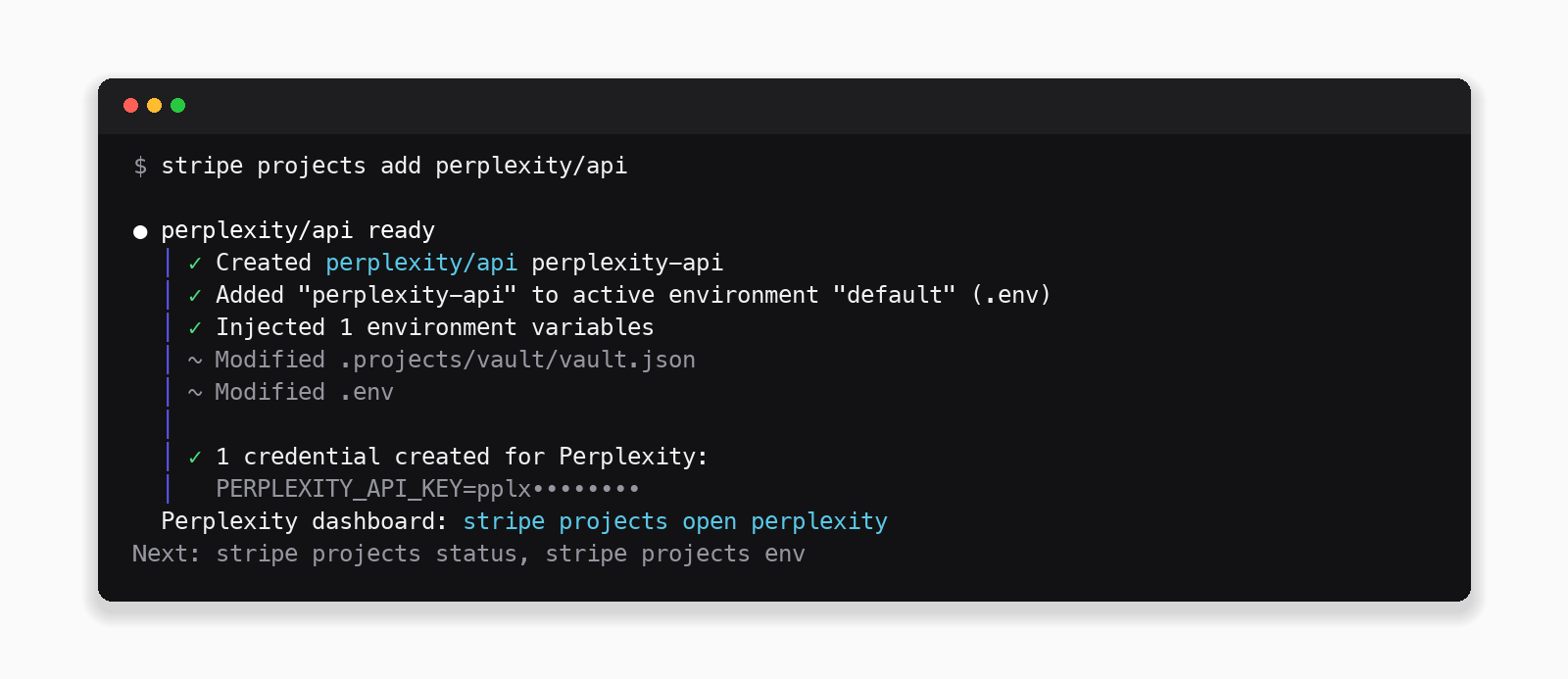
3
Make your first request
The official SDKs read To open the Perplexity API project in the API Console and see usage, balance, and keys:
PERPLEXITY_API_KEY from the environment. The examples use the low effort level, which sets a default model and web search configuration:If you get text back, the key is live and billing is wired up. The SDKs expose it as
output_text; the raw cURL response has it as a message item inside output. The same key works across the API platform, including Agent API and Search API.Billing and credits
Perplexity API usage is prepaid: you buy credits, usage draws the balance down. For a Perplexity API project created by Stripe Projects, credit purchases charge your Stripe account’s payment method, so you never enter a card on the Perplexity side. On provision- Creating a new dedicated Perplexity API project prompts for a $10 minimum initial credit purchase.
- If you already administer a Perplexity API project, the CLI offers to connect it instead of creating a new one. Connected projects keep their existing Perplexity billing, so credit purchases for them stay in the API Console (see Connect an existing Perplexity API project).
The CLI prompts for these when needed, and agents pass them with
--config. The same settings are editable in the API Console, and changes from either place apply to the same Perplexity API project.
Check spend
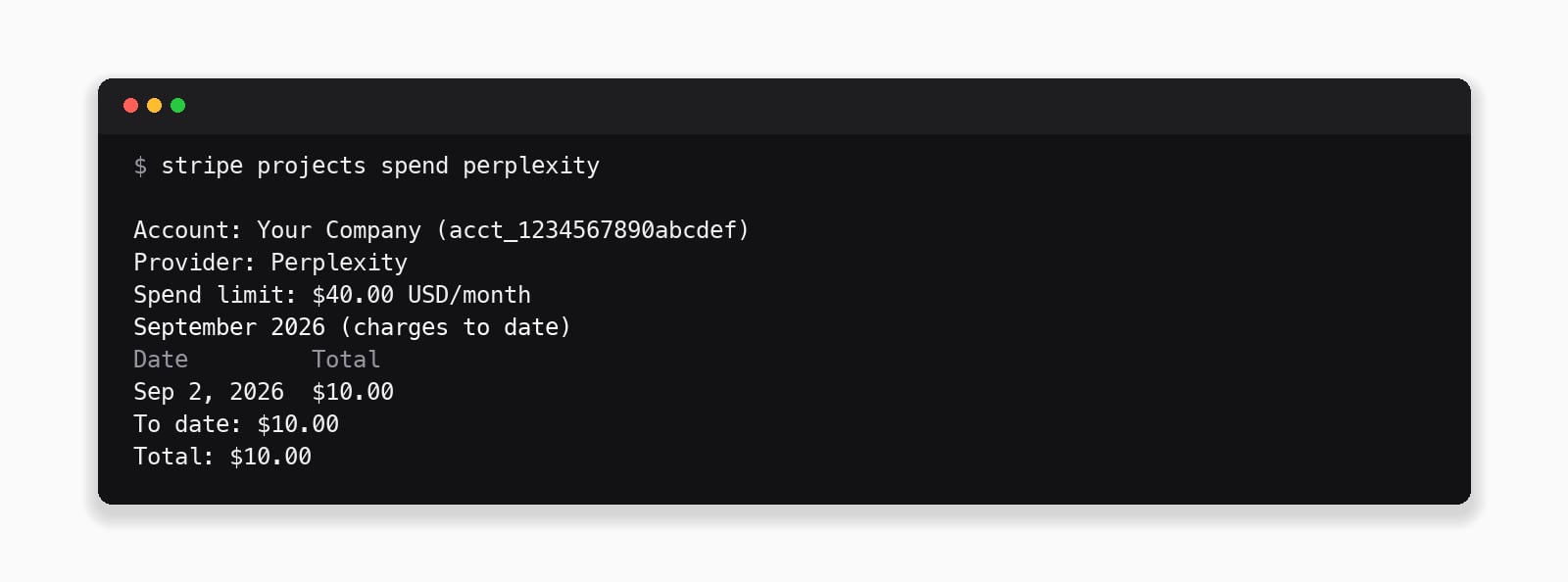
stripe projects billing update --limit 50 --provider perplexity. A purchase that would exceed the limit is declined; raise the limit and retry.
If you run out of credits, the key is blocked until you add more. Enable auto_recharge ahead of time so credits are added automatically when the balance runs low.
Connect an existing Perplexity API project
Your Stripe account connects to exactly one Perplexity API project. The first time you runadd, if your Stripe-verified email already administers Perplexity API projects, the CLI asks whether to create a new one or connect an existing one:
- Create a new dedicated Perplexity API project (recommended)
- One of your existing Perplexity API projects, listed by name
add in gets its own API key, all minted inside that one Perplexity API project. Other users on the same Stripe account can run add too, but only if they are an Admin of that Perplexity API project.
You can also make this choice up front, before adding Perplexity to a Stripe project:
Rotate or remove the key
- Rotate mints a fresh key and updates
.env. The old key keeps working for 24 hours so running deployments don’t break mid-rotation. - Remove deprovisions this Stripe project’s key. Your Perplexity API project, credits, and any other keys are untouched, and it stays visible in the API Console.
stripe projects unlink perplexity only forgets that connection in the current Stripe project directory; the Perplexity API project and its keys are untouched, and link reconnects to the same one.
To connect the Stripe account to a different Perplexity API project, delete the current one in the API Console, then run stripe projects unlink perplexity and stripe projects link perplexity. The link step asks you to create or connect a Perplexity API project again.
Use with coding agents
Claude Code, Cursor, Codex, and other agents can run the fulladd flow non-interactively.
1
Install the agent skill
stripe projects init writes a skill into the Stripe project (Claude Code, Cursor, and AGENTS.md variants):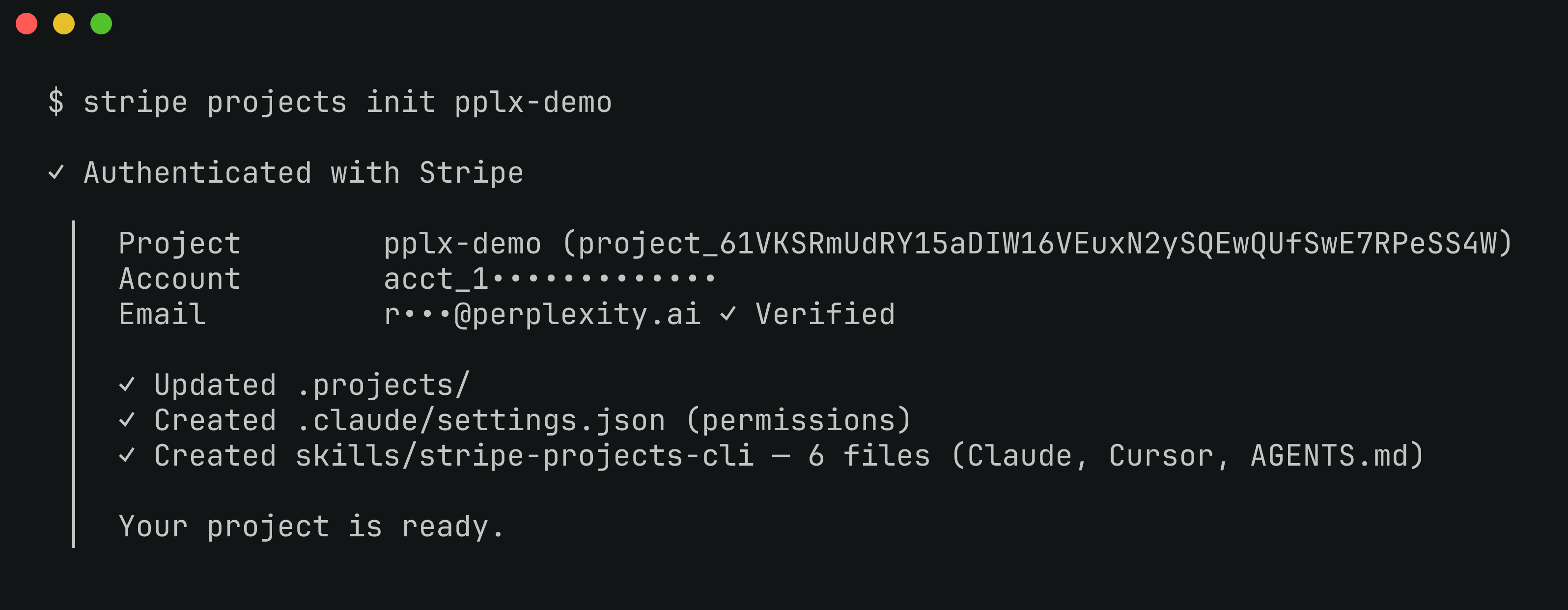
2
Authorize once
Attach a payment method before the agent session so it never hits a browser prompt:
3
Let the agent provision
Agents use the non-interactive form. Then try a prompt like:
--confirm-paid-service is required when a purchase is involved:Add Perplexity to this app with Stripe Projects, then build a/researchendpoint that calls the Agent API with theloweffort level.
Next steps
Agent API quickstart
Effort Levels, tools, and the full Agent API surface for your first build.
Search API quickstart
Ranked, real-time web results as structured data.
Pricing
What credits buy across models, tools, and APIs.